Ordering and artwork
How do I send my artwork?
On the product page, once you’ve chosen your options, drag your files onto the upload area or press Browse files. You need an account to upload, so log in or create one first.
Not ready yet? Tick I’ll upload my artwork later, place your order, and add your files from your account under Orders whenever you’re ready. Uploading closes once your job goes into production, so nothing can change after printing has started.
Do you check my files?
You choose when you order, under Artwork Check:
- Just Print: choose this if your artwork is ready to print: the right size, with bleed, saved as a PDF in the right colour profile. We print it exactly as you send it.
- Basic File Check: our production team runs your file through our pre-press software and checks the colour profile, that it is the right size, and that no text will be cut off when it is trimmed. Low-resolution pictures or logos placed inside a file that is otherwise set up correctly won’t be flagged.
- File Check with Proof: everything in the Basic File Check, plus a digital proof emailed to you once your artwork has been through our pre-press software, so you see what our production team sees before we print.
Please note: we don’t check spelling, grammar, font sizes or other typographic details.
Why should my artwork be in CMYK, not RGB?
Screens and printers make colour in different ways. A screen mixes light: red, green and blue (RGB). A printer mixes ink: cyan, magenta, yellow and black (CMYK).
RGB can show brighter, more vivid colours than ink can print. So when an RGB file is printed, its colours are converted to CMYK, and bright colours (especially vivid blues, greens, oranges and pinks) can come out duller than they looked on screen.
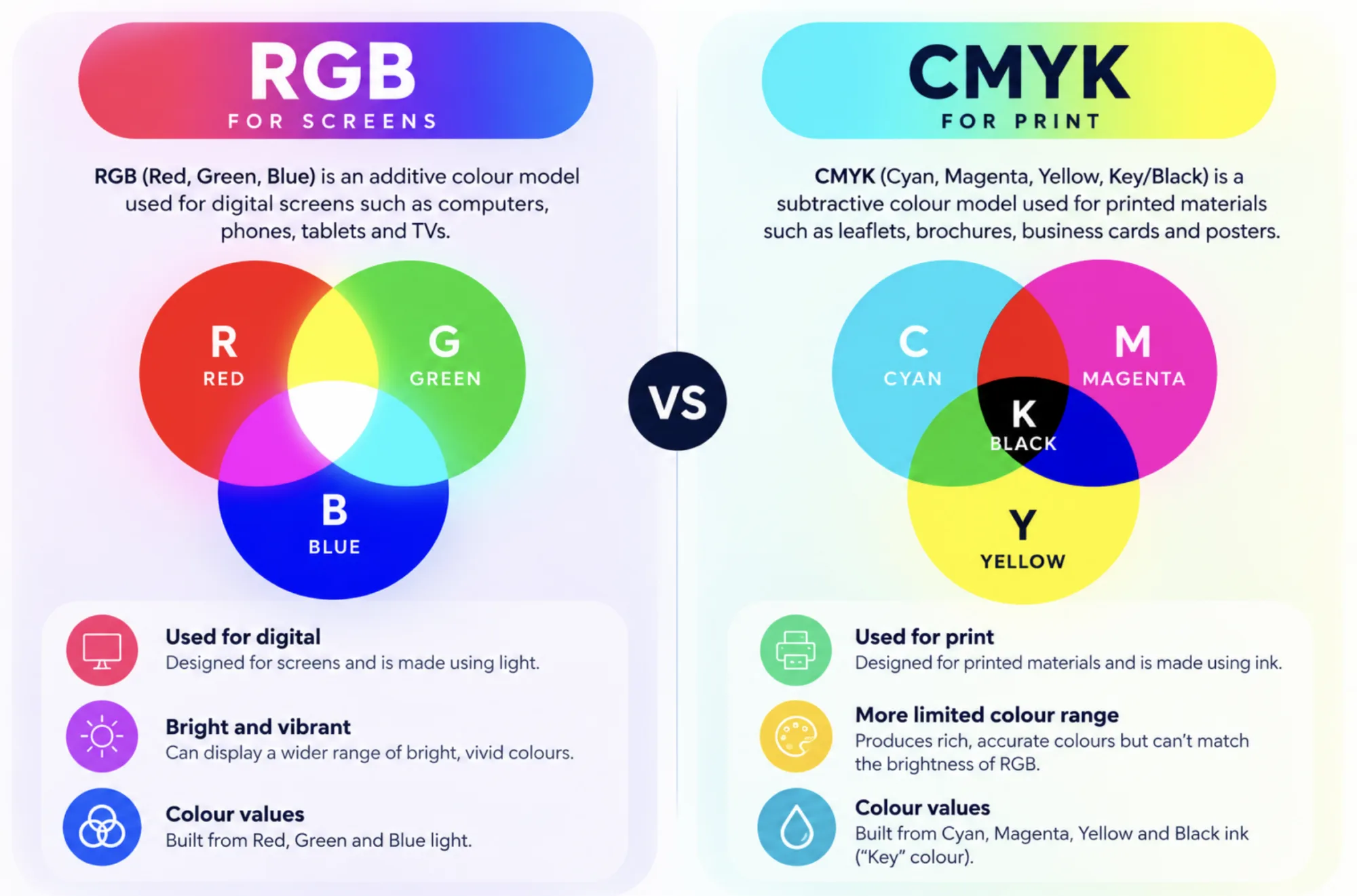
Setting your artwork up in CMYK from the start means what you see on screen is much closer to what we print. Most design programs have it in the document’s colour mode, or in the settings when you save a PDF for print.
Not sure? Choose Basic File Check or File Check with Proof when you order, and we’ll check your file’s colour profile for you.
What are the standard print sizes?
Most of our printing comes in the standard A sizes. A4 is the size of a sheet of printer paper, and each size down is half the one above: A5 is half of A4, A6 is half of A5, and so on. A business card is 85 x 55 mm.
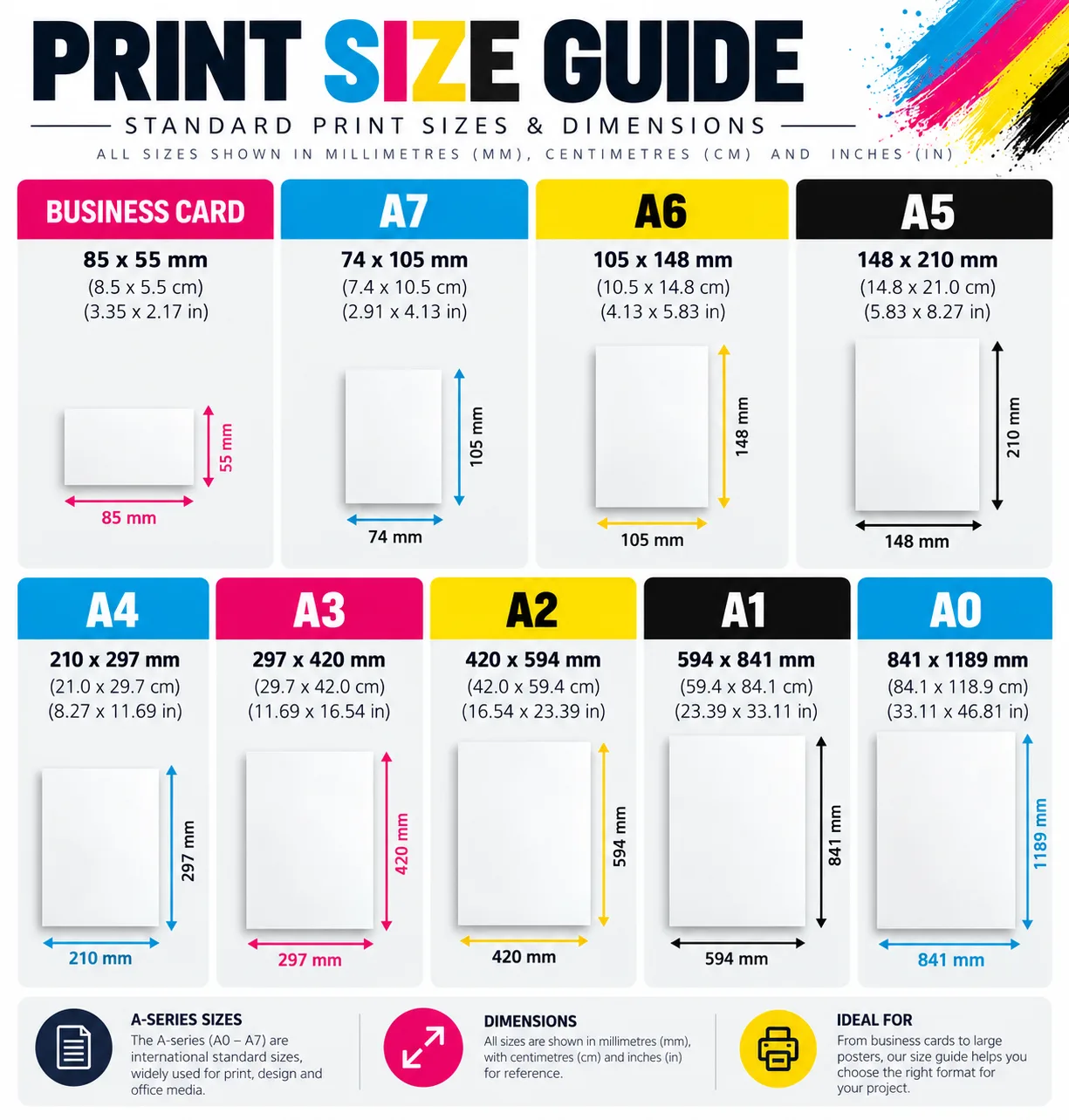
When you set up your artwork, add 3 mm of bleed on every side if your design goes right to the edge. For example, an A5 design with bleed is 154 x 216 mm.
Can I make changes once my artwork has been approved?
Because our turnaround times are so quick, we can’t change the artwork or the order once it has been approved, so please check your proofs carefully before approving them. If your order hasn’t been approved yet and you need to change something, just get in touch: we can cancel it so you can place a new one with the changes.
Can I order the same thing again?
Yes. In your account, open the order and press Order again: it puts the same products and options in your basket. To make sure we never print the wrong file, please send your artwork again with each order. Once an order is complete we remove its artwork from our system, for your privacy and security.
Dates and delivery
When will my order be ready?
Each product page shows the estimated dates for the quantity and turnaround you choose, and how long is left to order and approve your artwork before today’s cut-off. The time starts once your artwork has arrived and been approved.
Are the turnaround times guaranteed?
They’re estimates. Most orders are ready on time, and often sooner, but things outside our control, such as a machine breaking down or a particularly complex job, can cause a delay. If that happens we’ll contact you to talk through the options. Meeting any date depends on your artwork being approved in time: if you ask for a proof and approve it later than the cut-off, the date moves too.
Once your order has left us, the delivery time is down to the courier, so we can’t guarantee it. Delivery times are for the UK mainland and don’t include remote areas.
Can I choose which machine my work is printed on?
Our system sends each job the most efficient way through production, taking several things into account, so we can’t promise it will be printed on a particular press.
Anything else
What if I need something that isn’t on the website?
Log in and choose Request a quote in your account. Tell us what you need, add any files, and we’ll come back to you with a price.
My question isn’t listed here
Send us a message from the Contact us page and we’ll reply as soon as we can, usually within one working day. You can also call us during opening hours.